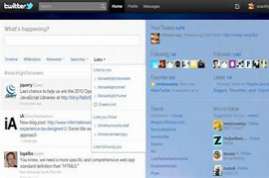
Twitter app for WindowsTwitter is a social media platform available as an app for Windows 10 users. The microblogging app has a character limit and allows you to explore a lot of content in a short time. The platform allows you to read live news, connect with people around the world and participate in discussions on various trending topics. The Windows application offers all the latest features and is available in more than 20 international languages. You can also download it for Android, iOS and Mac devices. What is Twitter? Twitter is a free social media platform where you can express your opinion on popular topics, find the latest news and discussions, connect with people and follow celebrities, politicians, athletes and more public figures. One feature that sets Twitter apart from other social media platforms is its microblogging style. This means that all tweets (messages) must remain within 280 characters! The Twitter app for Windows 10 is a progressive web application (PWA) powered by the Microsoft Edge engine. As a PWA, it’s basically a website that works and looks like a native mobile app. It is designed to give users a streamlined Twitter experience with instant messaging, tweet bookmarking, private messaging, integrated search and automatic updates for a real-time user experience. If you’ve been using Twitter through a browser like Google Chrome or Firefox, the app’s Windows interface will feel pretty familiar. However, compared to websites, Windows apps offer better readability. The app is also designed to work as a mobile app, so touchscreen users can enjoy the performance. However, it is not necessary to use the application with a mouse or touchpad, because the appearance of the Twitter application is quite functional and comes with Home, Explore and Notifications tabs. When you’re on the Home tab, you can access your custom news feed, which contains the latest and most popular tweets from the people, companies and topics you follow. You can find new content by going to the Explore tab, where content is sorted by category and the latest trending features. After installation, you can login to the app using your official Twitter account ID and password. The latest version of the app supports extended character limits and lets you send tweets embedded with emoticons, videos, GIFs and photos. It displays content in the form of a timeline, so you can easily find new content, get the latest news from around the world and manage, you can use the Twitter app for Windows to add information to your profile, such as pictures, wallpaper, location and description. It also lets you look back at your past tweets and go through bookmarked content. Since the application works in real time, you will be notified when someone likes or retweets your tweet, or if you receive a mention or private message from another Twitter user, Twitter has added a new feature called Fleets that allows users to share tweets that disappear after 24 hours . Similar to Instagram and Snapchat’s Stories feature, shared groups can be seen above the user’s timeline and sender’s profile.Followers must also click on your group to see the posts you share. The content is displayed in chronological order, so you need to scroll down to View past fleets can include text, photos and videos, and you can customize them with different backgrounds and text options. Additionally, you can also share tweets from those you follow as a fleet. All you need to do is tap on the share icon and select the Share to Fleet option. Twitter also allows you to respond and respond to fleets via direct messages. Fleet writers can track who has seen their posts by clicking the Seen By button. Available in multiple languages The lightweight and easy-to-download app includes a language selection prompt during installation. You can choose from over 20 international languages including English, Italian, Urdu, French and more to tweet and chat with friends and followers. You can also use the Twitter app for PC to create groups with people who follow the daily tweet limit. A small downside to the Windows Twitter app is that it limits the number of tweets and messages you can send. However, this limit exceeds a thousand or more every day! So, unless you send more than a thousand tweets per day, this limit should not cause support for multiple accounts. The Twitter app for Windows is like the website version and only supports one Twitter account. Therefore, if you use different accounts for professional and personal use, the lack of multiple account management features may seem like a disadvantage. But if you want an app to manage multiple accounts, get analytics and run campaigns, you’re better off using a paid Twitter client that supports it. Do I open a Twitter account? Once the Twitter download is complete, launch the app to explore the various login options. You can either enter your email address, username or password to create an account or complete a Twitter login using your mobile phone used on Twitter? Most people use Twitter search to find and join conversations around the world. To send a tweet and join the conversation, just click the tweet icon, write a message, attach an image or GIF and click message. You can also like and retweet any posts that catch your eye! Can someone tell if you’re looking at their Twitter account? Unlike LinkedIn, Twitter does not show users any information about who has visited their profile or browsed their tweets. However, you will be notified if someone likes or retweets your post. Notifications are also sent for direct participation, such as messages, and can I get Twitter notifications on Windows 10 One of the best ways to get Twitter notifications on Windows 10 is to download a separate Twitter app. The app also allows you to change your notification settings according to your preferences? Although Twitter is one of the most popular microblogging software, it has several options. Some of the most popular Twitter alternatives are Mastodon, Tumblr and Facebook. If you want to manage multiple accounts and are looking for clientsTwitter, see TweetDeck, To Hootsuite and Social for Twitter. Should I download the Twitter app for Windows? The Windows 10 app for Twitter is quite powerful. If you use social media platforms regularly, you should download them. You get instant notifications and a separate window where you can access the latest news and updates. But if you want to manage multiple accounts or run campaigns, you should choose Twitter Client.