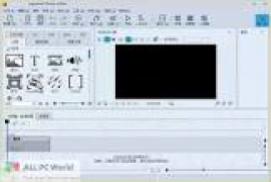
Your photos are amazing – you have never seen your photos so beautiful. Always make the right cut in the scene and make sure you have the right aperture for the Wow effect. Of course, with your videos.
Collages will further enliven your presentation. You combine several images, arrange them in the background or decorate. Now, if you animate the collage as a whole, as well as its individual components, you will have your own animation studio.
AquaSoft Photo Vision feature overview
Hundreds of customizable transitions (e.g. length, direction, animation, etc.)
Use transitions as blackouts and blackouts
Picture quality is perfect – no extra pixels.
Show images in full size or as a collage
Select a part of the image by panning the camera and zooming in.
Map Wizard to get maps of all zoom levels from Internet
Various map styles, such as street maps or satellite imagery
Describe any route using “Running Line”
Can be combined with car charts (you can use individual charts)
Create live animations that can be played instantly and adapted at any time
Use your own card
Photos, text and videos can be displayed on the map
Make a collage with any number of tracks on the timeline
Picture in picture effect
Timelines can be structured with sections and collages to keep complex animations clear
There are several design elements that can be used right away, such as shapes or even tooltips.
Storyboard view for easy viewing and sorting of images
There is no limit to the maximum number of images or project duration
Non-destructive image processing allows you to correct an image without changing the original image.
Various processing options, from cropping to color correction to rotation
Add caption/header to image
Free text formatting, such as color, size, font, orientation
Variable text formatting possible (Rich Text)
Text animation to disappear and disappear, even individual letters
Text effects like shadows and outlines
Blu-ray and DVD recording
Upload directly to YouTube and Vimeo
Export as a video file in all popular formats: MP4, WMV, MPG, etc.
Automatically animate your images, videos and text
Combine templates with your ideas
Many themes available: birthdays, weddings, holidays, school, Christmas, silent movies and many more.
Show with transitions and music
Animated images and videos with 3D rotation, zooming, panning and effects
Technical details and system requirements
Operating system: Windows 10, Windows 8 – 32-bit and 64-bit systems supported
Processor: 2 GHz, multi-core processor recommended
Video card: DirectX 9c, min. 256MB memory
RAM: 2GB
In addition: CD / DVD / BD Penulis Writer